
How to cut the time between dictation and a signed report
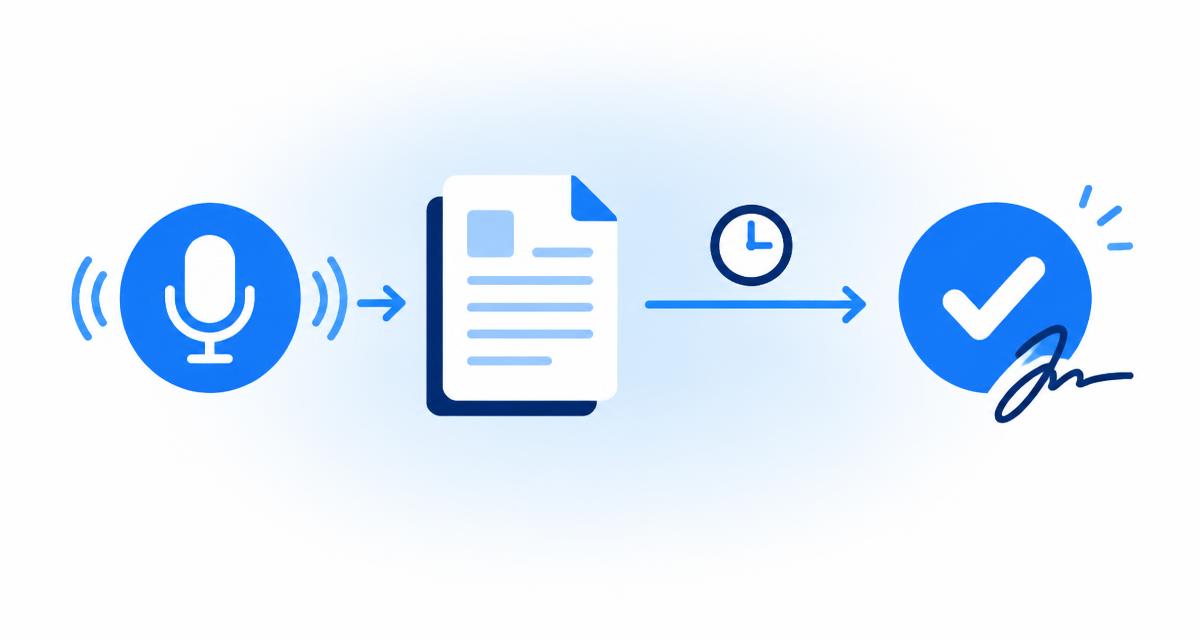
A radiology report can spend more time waiting than being read. It is spent waiting: waiting to be typed, waiting to be checked, waiting in a queue for the radiologist to return to it. Shortening that gap helps referrers get answers sooner and helps radiologists close studies while the details are still fresh in their mind.
This guide looks at where the delays usually come from and offers practical habits and workflow choices that reduce them. None of it involves rushing the reading itself. Careful interpretation and careful review stay exactly as important as before.
Where does the time between dictation and sign off go?
The time between dictation and sign off usually goes on hand-offs, waiting and rework rather than on the dictation itself. Each time a report passes from one person or system to another, it can sit in a queue before anyone picks it up.
In a traditional workflow, the radiologist dictates, a transcriptionist types the audio later, and the draft returns to the radiologist for checking. If the radiologist has moved on to other work, the draft may wait again before it is reviewed. Corrections can add another loop.
Mapping your own workflow step by step is a useful first exercise. Write down every point where the report changes hands or waits for someone, and you will usually see where the biggest gaps are.
- Waiting for audio to be typed.
- Waiting for the radiologist to review the draft.
- Rework when the draft contains errors.
- Switching between several systems to finish one report.
Why do fewer hand-offs make the biggest difference?
Fewer hand-offs make the biggest difference because every hand-off introduces a queue. When the radiologist can dictate, check and sign in a single sitting, the report never waits for anyone else.
Real-time speech recognition is a common way to remove a hand-off. The text appears as you speak, so you can correct and sign straight away instead of waiting for a typed draft. Some departments still keep a checking step for particular report types, and that is a local decision.
Even when a hand-off is kept, making it predictable helps. Clear rules about who picks up which drafts, and when, stop reports sitting unnoticed.
- Dictate, review and sign in one sitting where possible.
- Keep any remaining hand-offs predictable and visible.
- Avoid sending drafts back and forth for small edits.
How does clearer dictation save time later?
Clearer dictation saves time later because every misrecognised word becomes a correction. A few seconds of planning and steady speech at the start often removes several minutes of editing at the end.
Speak in complete sentences at an even pace, name sections aloud and use full terms rather than local abbreviations. A quiet room and a well positioned microphone reduce errors more than most people expect.
Following the same order for each type of study also helps. When you always describe findings in a familiar sequence, you are less likely to backtrack or add afterthoughts that then need moving into the right place.
- Plan the order of the report before speaking.
- Use a quiet space and a steady microphone position.
- Say section names clearly.
- Prefer full terms over abbreviations.
How can you make corrections faster?
You can make corrections faster by matching the method to the size of the error: short commands or keyboard edits for single words, and re-dictation for whole sentences. Repairing a badly recognised paragraph word by word is rarely the quickest route.
In Medicate, you can type or say literal commands such as "replace moderate with mild" or "delete small in findings". These change only the exact words you name, in the section you name, so small fixes take seconds without moving your hands to the mouse.
Whatever method you use, reread the sentence afterwards. A fast correction that introduces a new error is not a saving.
- Single word errors: a replace or delete command.
- Several errors in one sentence: re-dictate the sentence.
- Repeated words: target the correction to one section.
- Always reread the corrected sentence.
Does structuring a report help or slow you down?
Structuring helps when it happens with little effort and slows you down when it means manual cutting and pasting. The aim is to get your words into clear sections without retyping them.
Some radiologists speak section names as they dictate so the text splits automatically. Others prefer to dictate freely and organise afterwards. A tool that arranges dictated text into sections for you to review can remove the manual step entirely, as long as it keeps your wording.
Medicate offers a Structure step that arranges your dictation into Indication, Findings and Conclusion beside the raw transcript. It is designed to reformat only, never to add findings, measurements or laterality, so review is a matter of checking placement and wording rather than rewriting.
How should you organise review so drafts do not pile up?
Organise review so that each report is checked and signed as soon as it is dictated, rather than collecting drafts for later. Drafts that wait tend to need more effort, because the details of the study are no longer fresh.
If you do need to batch, set a clear time for it and keep the draft list visible. A dashboard that separates drafts from signed reports makes it obvious what is still outstanding.
Use a short, consistent checklist for every review: laterality, measurements, negations and whether the conclusion answers the question. A fixed routine is quicker than an open-ended read because you know what you are looking for.
- Review immediately after dictating when you can.
- Keep outstanding drafts visible in one list.
- Use the same short checklist every time.
- Avoid leaving drafts overnight without a reason.
What about the final steps of signing and sending?
The final steps of signing and sending should take as little effort as possible: the referrer, your signature and the output format should all be ready without hunting for them. Small administrative steps add up across a working day.
Keeping a directory of referring physicians means you pick a name rather than typing details each time. Saving your signature and practice letterhead once means every exported report is already formatted. Agreeing a standard file format with referrers removes back-and-forth later.
In Medicate, the Sign step lets you choose the referrer from your directory, add your saved signature and download the report as a PDF or Word file with your letterhead. The app does not send emails; you decide how the file is shared.
- Keep referrer details in a directory.
- Save your signature and letterhead once.
- Agree a standard file format with referrers.
What should you never cut to save time?
You should never cut the careful reading of images or the final review of the report to save time. Speed gained by skipping checks is lost, and more, when an error has to be corrected after the report has gone out.
The improvements in this guide all come from removing waiting and rework, not from reducing attention. If a change to your workflow makes you feel rushed during review, it is worth reconsidering.
Medicate structures dictated text; the physician reviews and signs every report. It is not a diagnostic tool.
Frequently asked questions
What is the quickest way to reduce reporting delays?
Removing hand-offs usually helps most. Dictating, reviewing and signing in one sitting stops reports waiting in queues between people.
Will structuring my report add extra work?
Not if the tool arranges your words for you. In Medicate, you press Structure and then check the sections rather than cutting and pasting text.
Should I review drafts in batches?
Reviewing each report straight after dictation is usually easier because the study is fresh in your mind. If you batch, set a regular time and keep drafts visible.
Does Medicate send reports to referrers?
No. Medicate never sends emails. You download the signed PDF or Word file and share it through your usual channels.
Medicate is a demonstration product. All data on this site is fictional.